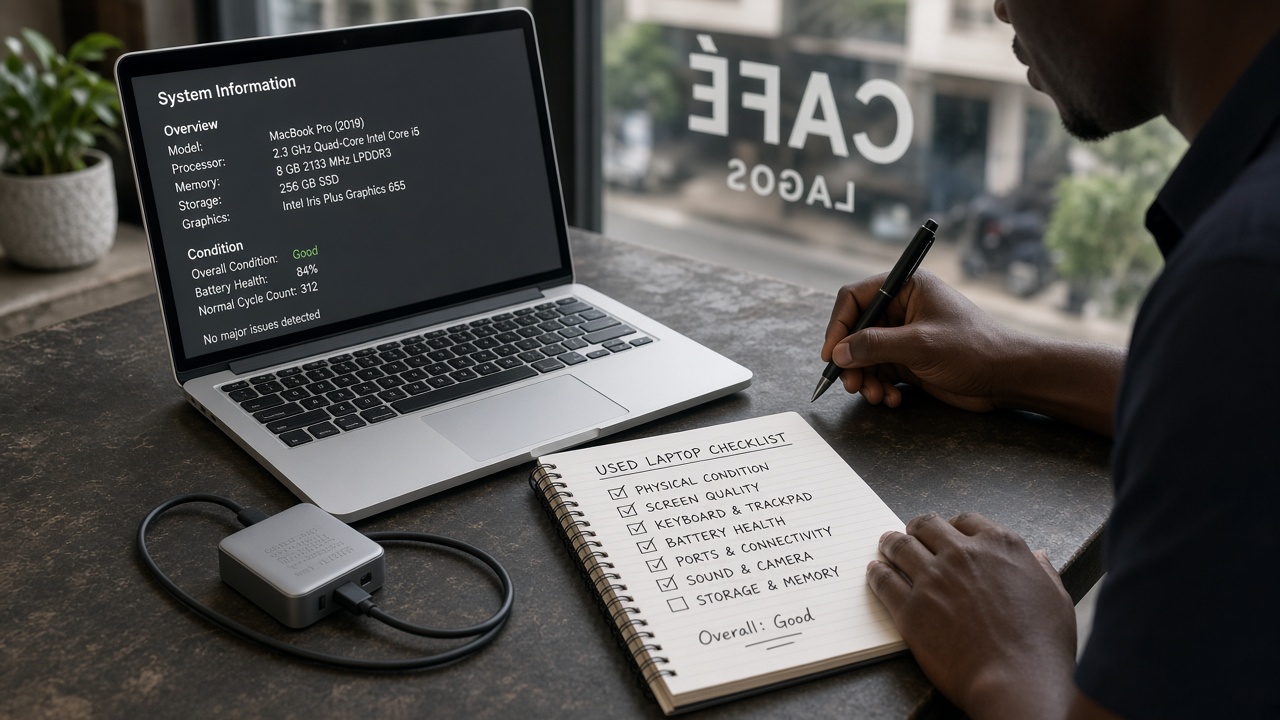
A cheap MacBook with Activation Lock is a paperweight. Buy on Zweka so funds stay held while you run the checks — same discipline as used laptops, with Apple-specific traps.
Before paying
- Verified seller — what the badge means
- Clear photos of serial (bottom case), ports, keyboard, screen
- Year / chip (Intel vs Apple Silicon) and RAM/SSD called out in the title
- Pay in-app only — held payment
Search: MacBook listings.
Must-pass checks before Accept
- Boots to a login you can use (or a clean setup screen you control)
- Activation Lock / iCloud off — Settings → confirm no lock prompts
- Battery health / cycle count if available
- Keyboard, trackpad, Wi‑Fi, USB‑C / MagSafe, speakers
- Screen for burn-in or heavy scratches under daylight
Fail any of these → dispute before Accept — disputes.